 Flipora
Pages that turn like the real thing
A lifelike 3D engine with natural page physics, shadows and page-turn sounds. Pick the feel that suits your document.
Magazine
Hardcover
Hardcover + curl
Framed
Flipora is a PDF flipbook and 3D PDF viewer plugin for WordPress. Publish catalogs, brochures, magazines and reports as realistic books, collect leads with your own forms, and help search engines read your content.
Flipora gives your documents a beautiful reading experience — and turns them into a tool that grows your audience.
A lifelike 3D engine with natural page physics, shadows and page-turn sounds. Pick the feel that suits your document.
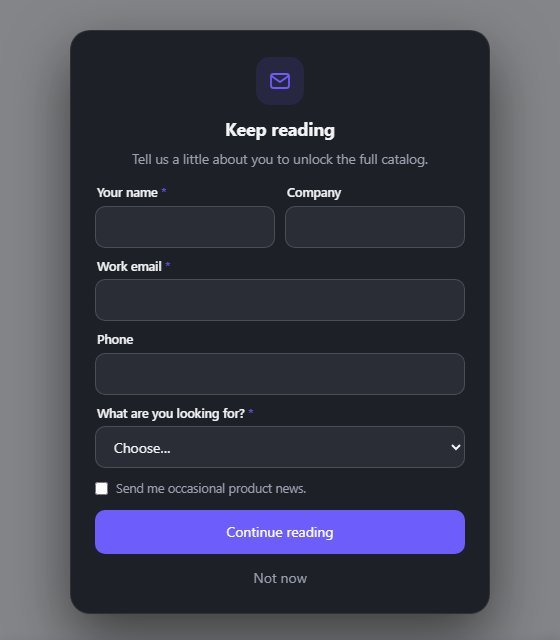
Build the form you need with 11 field types. Show it at any page or before a download.
Everything readers expect from a modern PDF viewer, in a clean and simple interface.
Crawlers can't read a 3D canvas, so Flipora gives them something they can.
Readers get a thank-you email from your name and address. You get an instant alert for every new lead.
Views, page turns, reading time, completion and downloads — plus which pages hold attention.
Passwords, members-only or role-based access, start and end dates, and hide download or print.
Sensible defaults for the whole site, with easy changes for any single book.
Add a bookshelf of your flipbooks to any page with one block or a short shortcode.
Show "Buy now" or "Request a quote" on the pages you choose. Clicks are counted.
A webhook sends each new lead to Zapier, Make, n8n or your CRM. Export to CSV at any time.
Analytics use no cookies or IP addresses. Leads stay in your database, with GDPR export and erase tools.
Copy one line of code to show a book on any other website. Control exactly which sites are allowed.
Pick many PDFs at once and Flipora creates one book for each — with covers and page counts done for you.
A guided screen walks you through every step. No settings to learn first.
Drag a PDF in, pick one from the Media Library, or paste a link. Images and HTML pages work too.
Pick a book style and background. Everything else already has sensible defaults.
Your book gets its own page. Add it anywhere with the block, Elementor, a shortcode or an embed code.
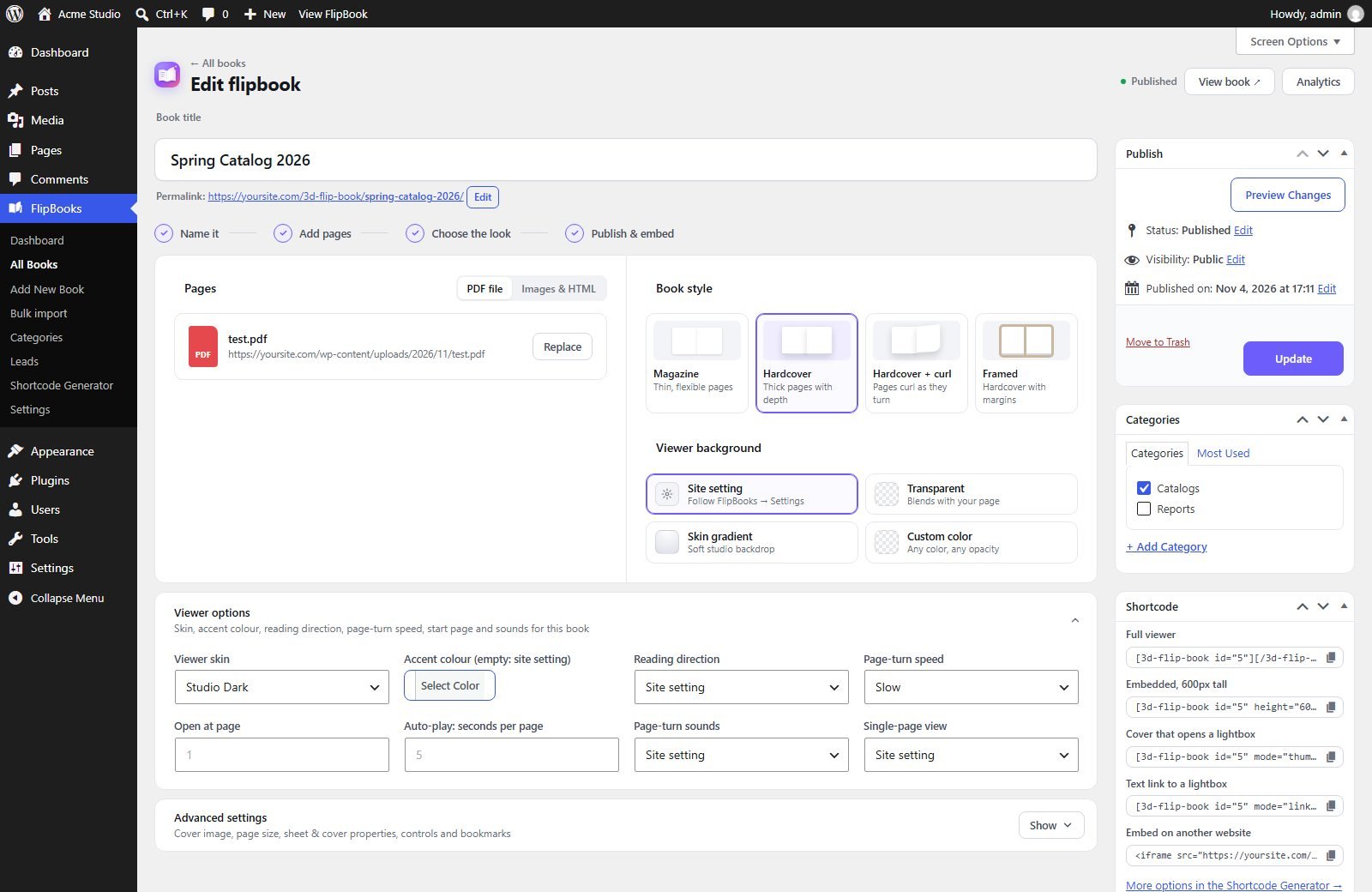
Every screen is designed to be calm and quick — even if it's your first time.
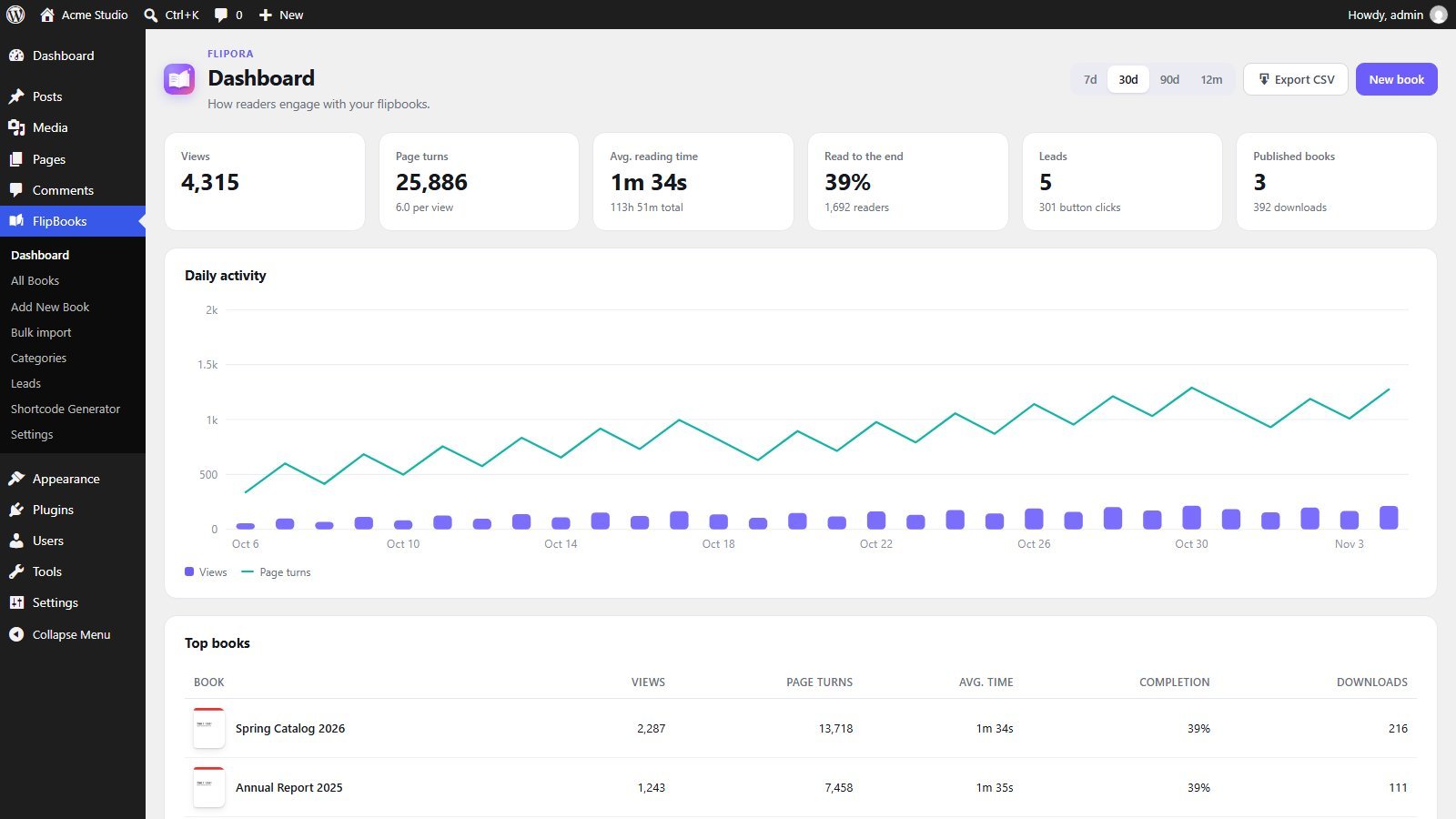
See views, page turns, reading time and completion for the last 7, 30 or 90 days, or the whole year. Sample data shown.
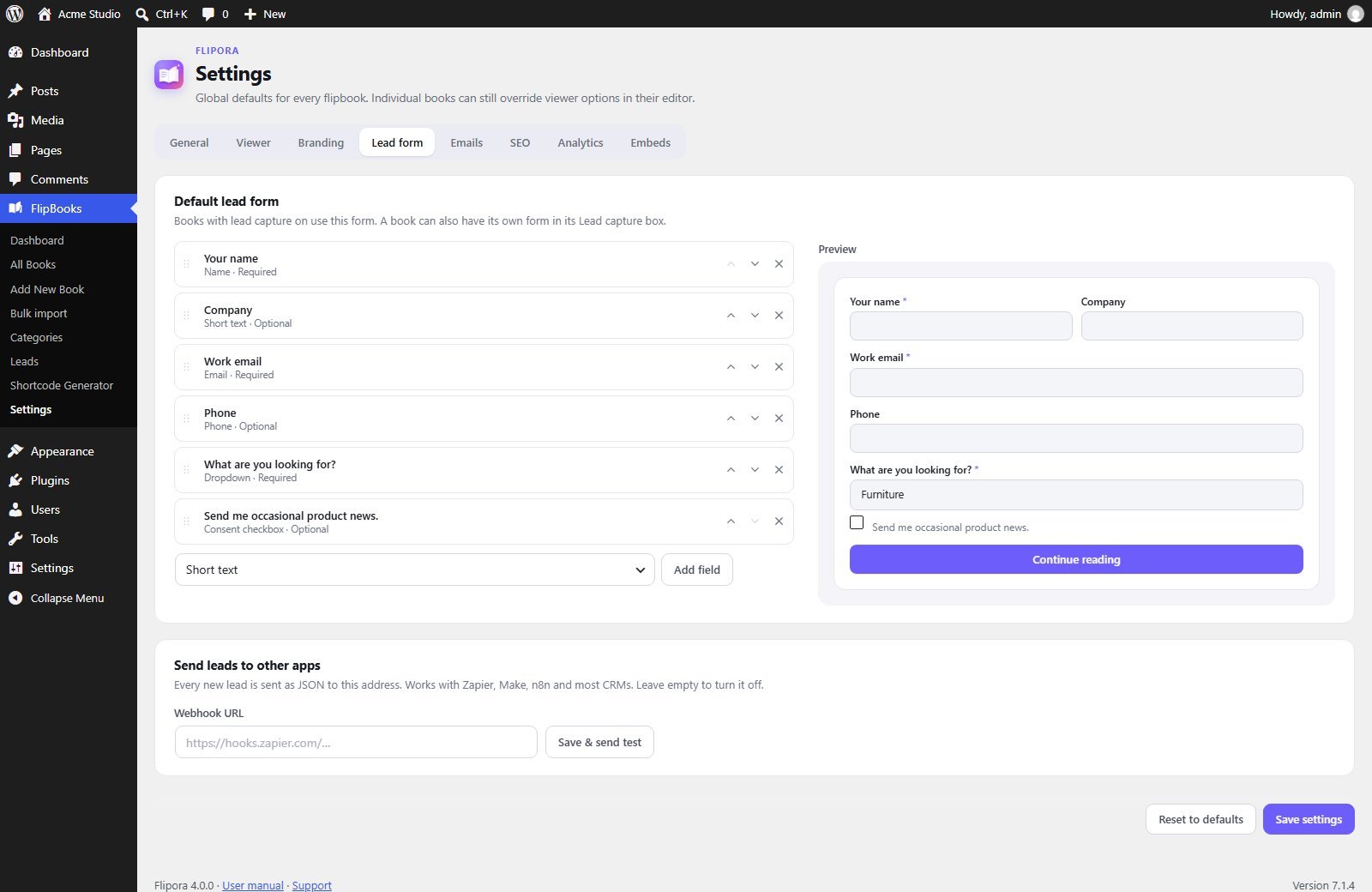
Add fields, reorder them and see the form update as you work.
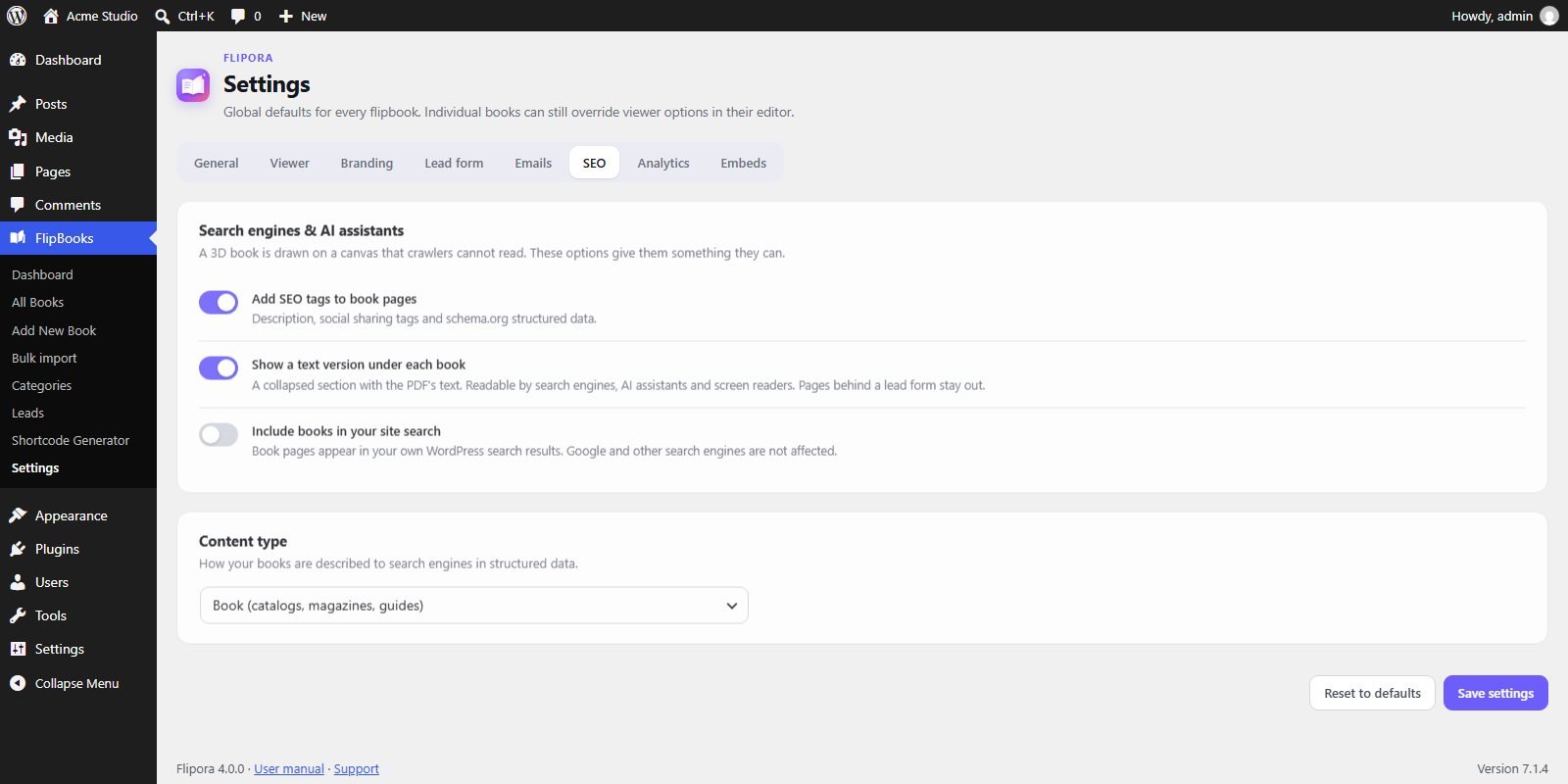
Clear switches for search engines and AI assistants, with plain explanations.
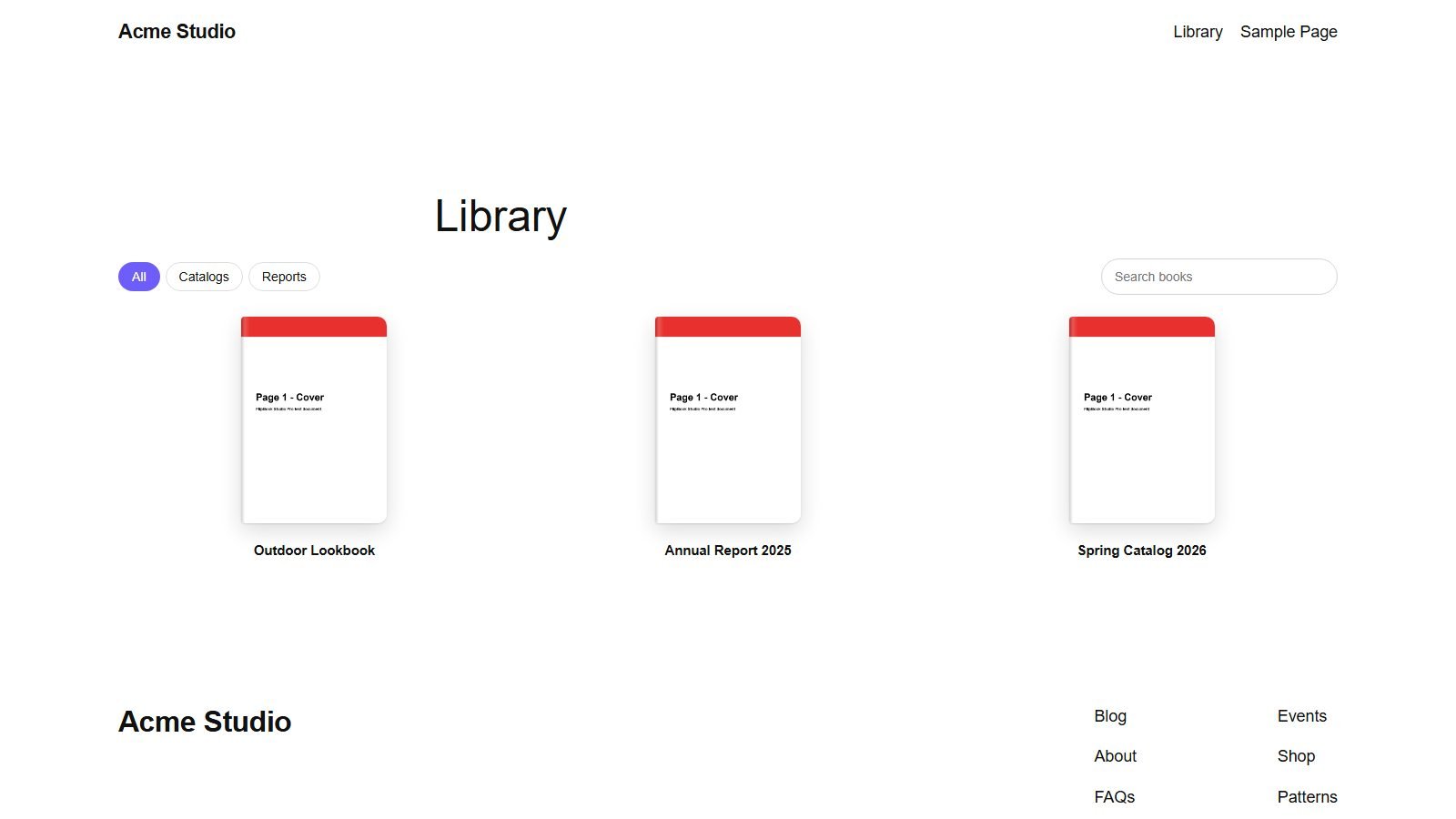
A bookshelf for your site, with category filters and search.
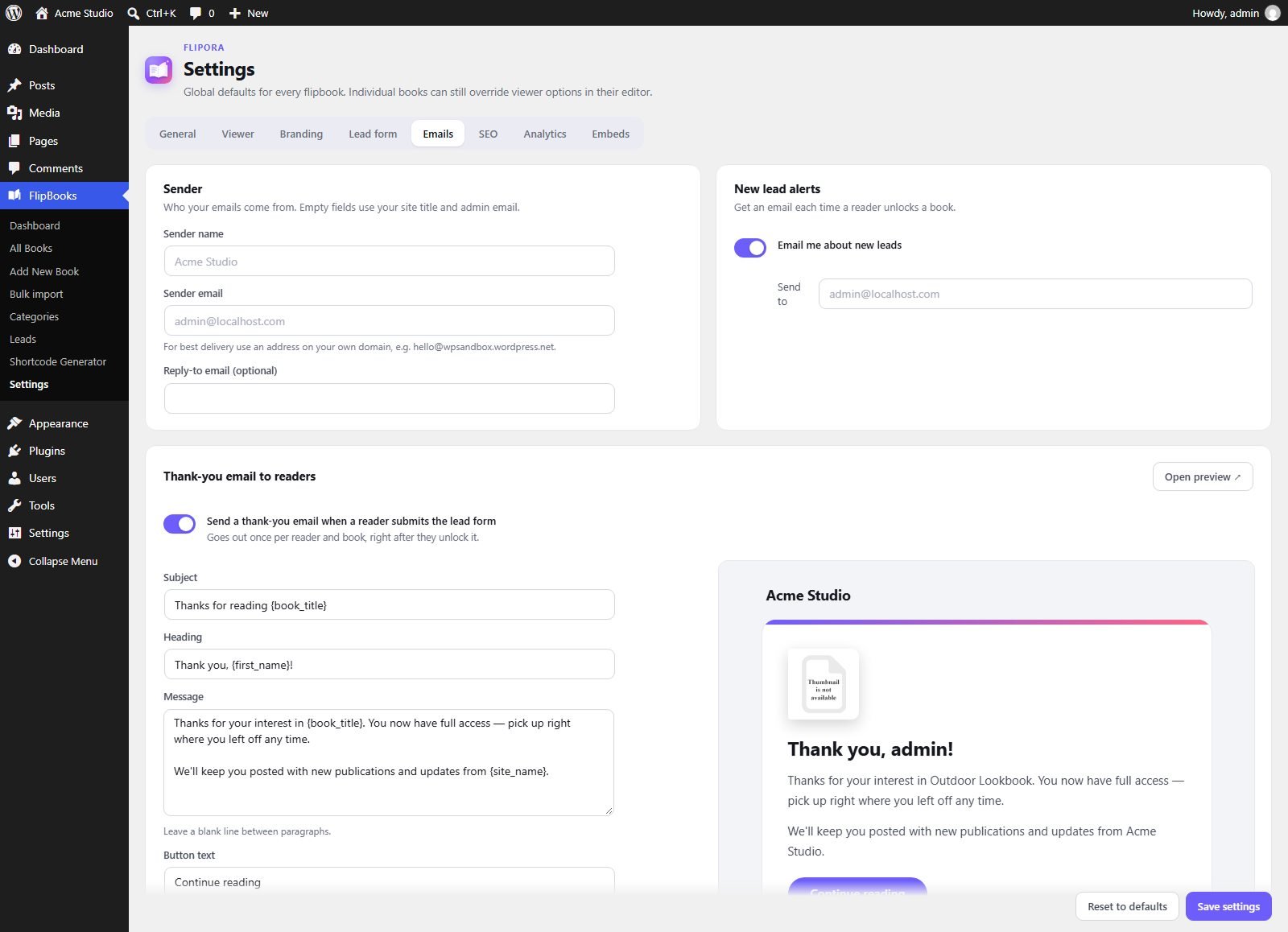
Set your sender name and address, write the thank-you email and see a live preview.
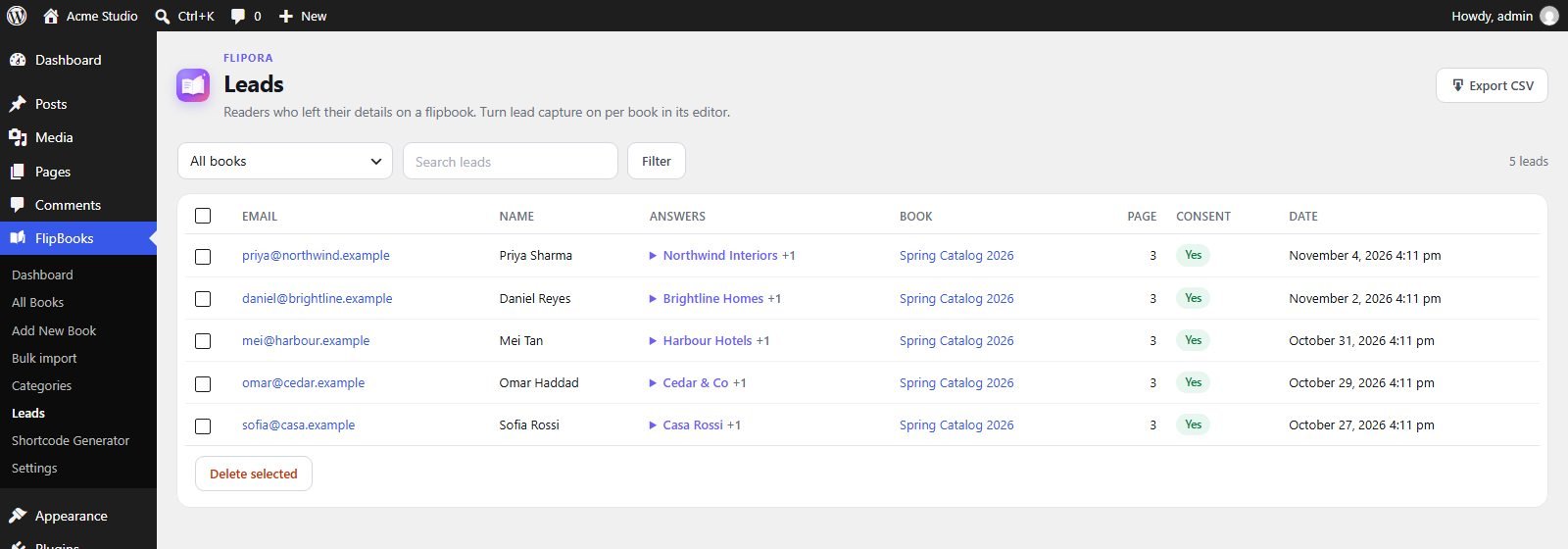
Every lead with their form answers: searchable, filterable and one click away from a CSV file. Sample data shown.
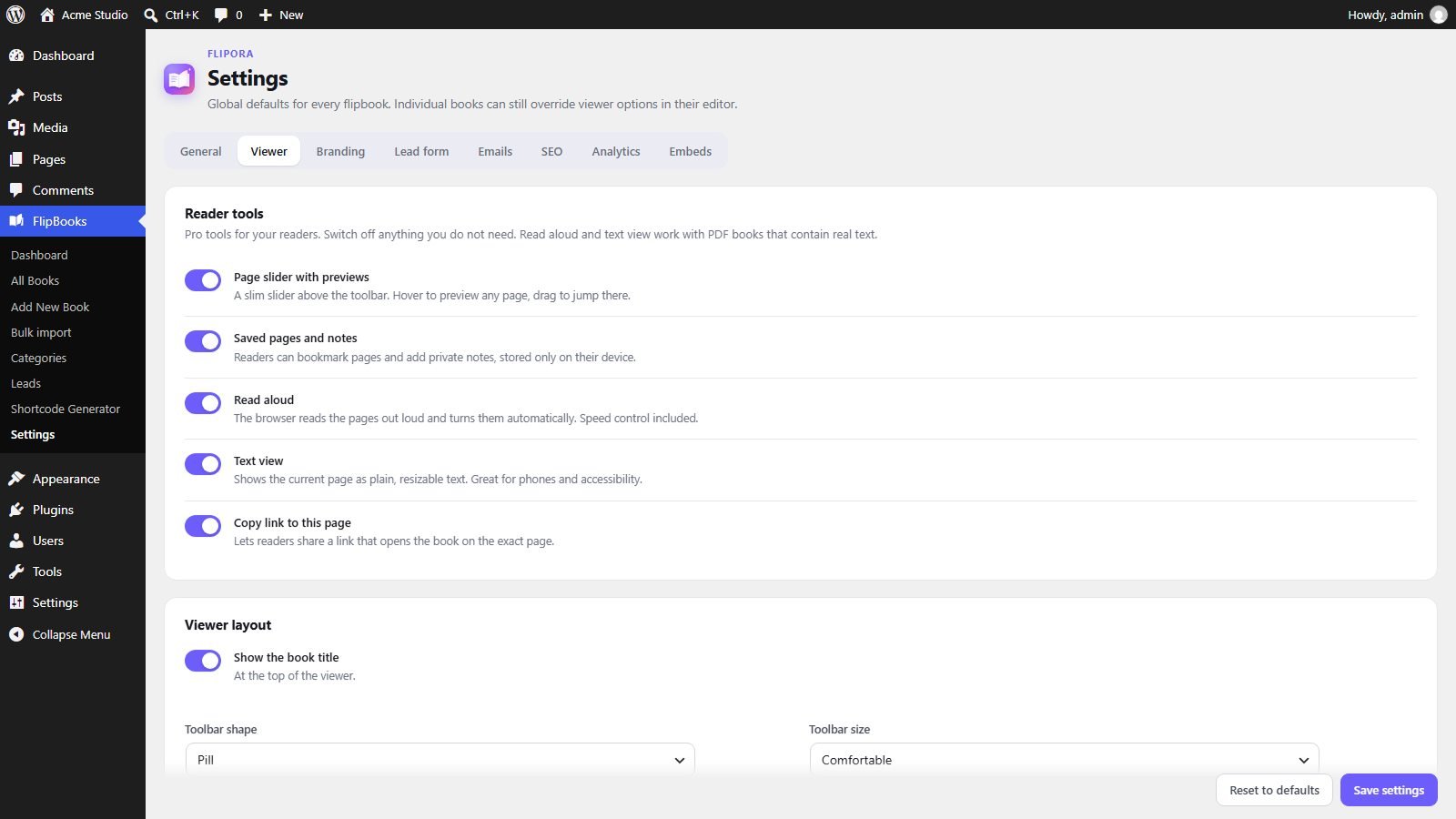
Choose the reader tools, layout and toolbar once. Every book follows, unless you change it for one book.
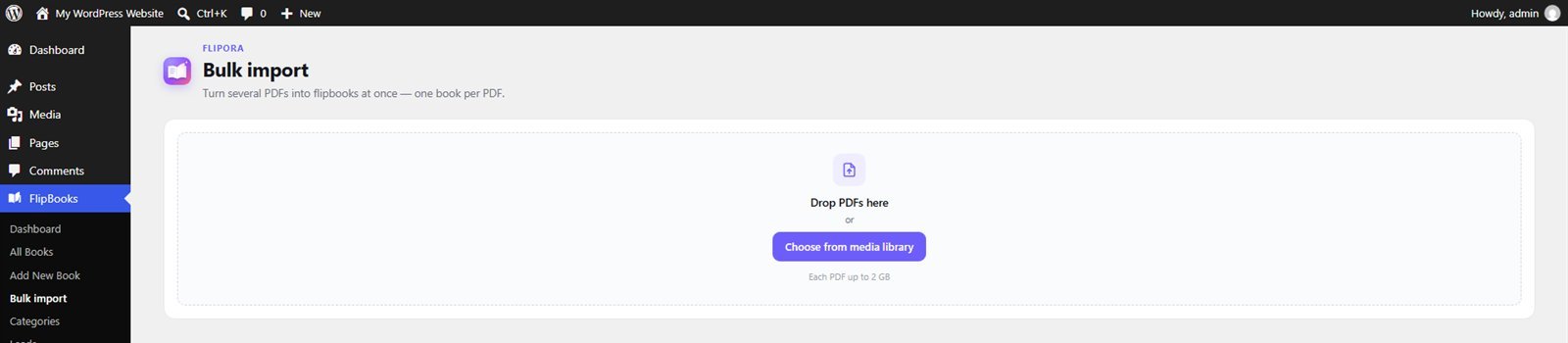
Drop a folder's worth of PDFs and get a finished book for each one.
Name, company, phone, budget, interests: build the form in a few clicks. Use one form for the whole site, or a different form for each book.
The controls stay out of the way until a reader needs them. Admins choose which tools appear.
A 3D book is drawn on a canvas, so crawlers normally see nothing. Flipora adds the words, the structure and the sharing tags that they need.
When a reader fills in your form, Flipora saves the lead, emails you an alert with their answers and sends them a warm thank-you, all automatically.
Flipora counts views, page turns, reading time, downloads and how many readers reach the end — per book and per day. A page-attention map shows which pages hold interest.
Each book has its own access settings, right in the editor. Locked books show a clean, friendly message instead of the viewer, and their files are never sent to the browser.
Use the tool you already know — Flipora brings a live preview to each one.
Search "FlipBook" in the inserter, pick a book and choose how it shows.
Drag the FlipBook widget onto any page or template, with live settings.
Works in classic posts, text widgets and most page builders.
[3d-flip-book id="12"]
[/3d-flip-book]Paste one line of code on any website you allow — WordPress or not.
Browse like a printed catalog — and collect a lead from every interested buyer.
Give every issue a real magazine feel, right on your own site.
Present results beautifully and see exactly which pages get read.
A menu that turns like the one on the table — perfect on phones.
Share listings beautifully and collect enquiries in one place.
Members-only material for students and teams, open on the dates you choose.
Yes. Flipora is free, open-source software licensed under GPLv2 or later. Every feature on this page is included.
Install Flipora, create a book under FlipBooks → Add New Book and upload your PDF. Then add the FlipBook block to any page, drop in the Elementor widget, or paste the shortcode shown in the book editor.
Yes. Flipora captures the text of your PDF and adds it under the book in a collapsed section that search engines, AI assistants and screen readers can read. It also adds structured data and social tags. No plugin can guarantee a ranking, but this gives your content a fair chance.
Yes. The form builder has 11 field types, including phone, dropdown, multiple choice and consent. Use one form for the whole site or a different form for each book.
Yes. Show the form at a chosen page, before a download, or both. The form is a friendly gate, not a security barrier. Use a password or members-only book for private files.
Yes. Add a webhook URL and each new lead is sent as JSON, which works with Zapier, Make, n8n and most CRMs.
No. You create books on a guided screen and add them to pages with the block editor, Elementor or a copy-paste shortcode.
Yes. Flipora works with any WordPress theme. On phones the viewer takes most of the screen and can show one page at a time.
No. Pages without a book only get a tiny loader script; the 3D viewer itself is downloaded only on pages that actually show a book.
In your own WordPress database — never on our servers. You can search, export to CSV or delete them, and they work with WordPress's personal-data export and erase tools.
Some hosts don't deliver WordPress mail. Open Settings → Emails and use Save & send test — Flipora shows the exact error. Turn on SMTP with your mail provider's details and use a sender address on your own domain. Full guide in the manual →
Yes. Every book can have a password, be limited to logged-in readers or chosen roles, open and close on set dates, and hide its download and print buttons.
No. Flipora uses the same books, pages, leads and settings. Install and activate it — everything carries over. See Upgrading in the manual.
Install Flipora, add your first PDF and publish a 3D flipbook in about a minute.
Questions, feature ideas or a problem with a book? Get in touch.